
How to make animated stickers (with AI or from a photo)
You can make a whole set of animated stickers (LINE's animation stickers) with AI from one line about your character, or from one photo of your pet. This page covers how to make them on MochiStamp, the APNG rules (320×270 px, 5–20 frames, 4 seconds, 1 MB each), the usual reasons an upload fails and how to fix them, and tips for making stickers from a photo, with real images.
How to make animated stickers on MochiStamp
- At the top of Create with AI, choose “Animated” (creating needs a Google sign-in)
- Describe your character in one line. To draw your pet, pick one photo of it as the “Reference image” and write something like “my Shiba Inu” in the description
- Choose a style (8 of them) and how many (8, 16 or 24)
- Check each box’s action. They come filled in with actions such as “waving” or “jumping for joy”; tap one to change it
- Tap create. A set of 8 takes a minute or two, and each sticker starts moving as soon as it is drawn
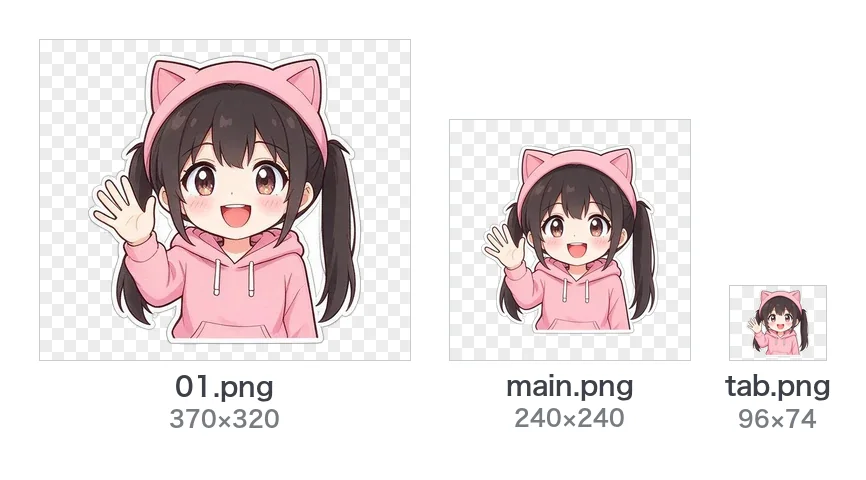
- Tap “Download ZIP”. It holds the animated images numbered from 01.png (APNG), main.png (a 240×240 animated image) and tab.png (96×74), ready to upload to LINE Creators Market
An animated sticker costs 2 credits (character and text-only stickers cost 1). The free credits you get when you sign in make one set of 8. You can redraw any single sticker, 4 per set for free. The same set can also be downloaded as animated WhatsApp stickers (WebP).
The rules for animated stickers
| Item | Rule |
|---|---|
| Sticker images | APNG (the file ends in .png). Sets of 8, 16 or 24 |
| Size | Up to 320 px wide and 270 px tall. Either the width or the height is at least 270 px |
| Frames | 5 to 20 per sticker |
| Playback time | Up to 4 seconds per sticker, in whole seconds (1, 2, 3 or 4; not 1.5) |
| Loops | 1 to 4 (seconds × loops within 4 seconds) |
| File size | 1 MB or less per sticker |
| Main image | 240 × 240 px, APNG |
| Chat room tab image | 96 × 74 px, PNG (still) |
| Background | Transparent |
| ZIP upload | 60 MB or less |
Source: LINE Creators Market guidelines (animated stickers) and how to make them in detail (Japanese), checked on October 30, 2026.
The guidelines also say:
- Every frame in one APNG has the same size
- The same image repeated may be merged into one frame, and an animation whose frames are all the same image fails at upload
- The store shows the APNG’s first frame as a still image
“300 KB per sticker” is out of date
Some guides still say animated stickers must be 300 KB or less. LINE’s current guidelines say 1 MB or less.
- LINE’s 2018 post about its animated sticker checker listed “300KB or less per file”.
- 300 KB is still the limit for animated emoji (180×180 px), a different product.
MochiStamp keeps each sticker within 1 MB and uses fewer colors when one would go over 900 KB. The 10 examples on this page are about 280–600 KB each. There is no option to squeeze them under 300 KB (today’s animated stickers don’t need it).
Real animated stickers in 8 styles






These are the samples the creator shows when you choose “Animated”: waving poses drawn for the samples, set in motion by the same program as MochiStamp’s animated stickers. Each is 320×270 px, 20 frames, a 2-second loop played twice: 4 seconds in all.
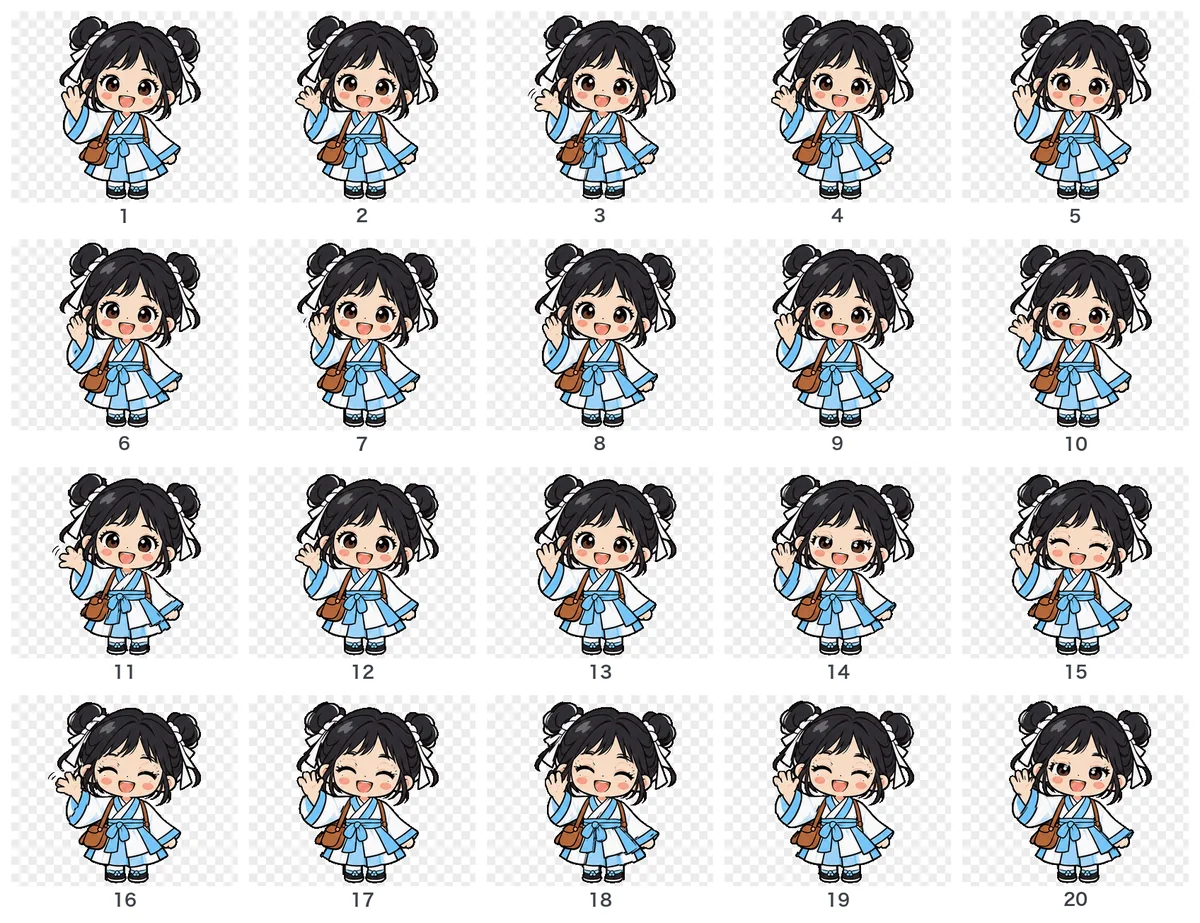
Twenty frames doesn’t mean twenty different drawings. A few poses, shifted a little from frame to frame, look like smooth motion. There are two main ways to make animated stickers with AI:
- Make a video and take frames from it: make a short clip with a video model, then thin it down to 5–20 frames for an APNG. Smooth video cut to 20 frames often looks choppy, and the character can change on the way.
- Draw a few poses and fill in between: draw a few poses of the same character with an image model, and let a program make the frames in between. The character stays consistent and the frames, seconds and size are easy to keep within the rules. MochiStamp works this way: 4 poses a sticker, joined into 20 frames.
Making animated stickers from a photo of your pet
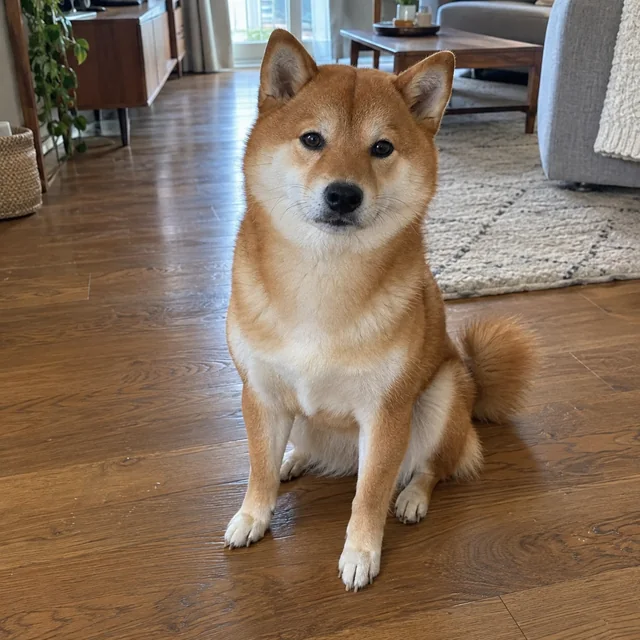
The photo is a reference that tells the AI who your pet is. The coat colors, markings and the shape of the ears and tail are read from it, and your pet is drawn as an illustrated character in the style you choose, then set in motion. The photo itself doesn’t move: these are not live-action stickers.
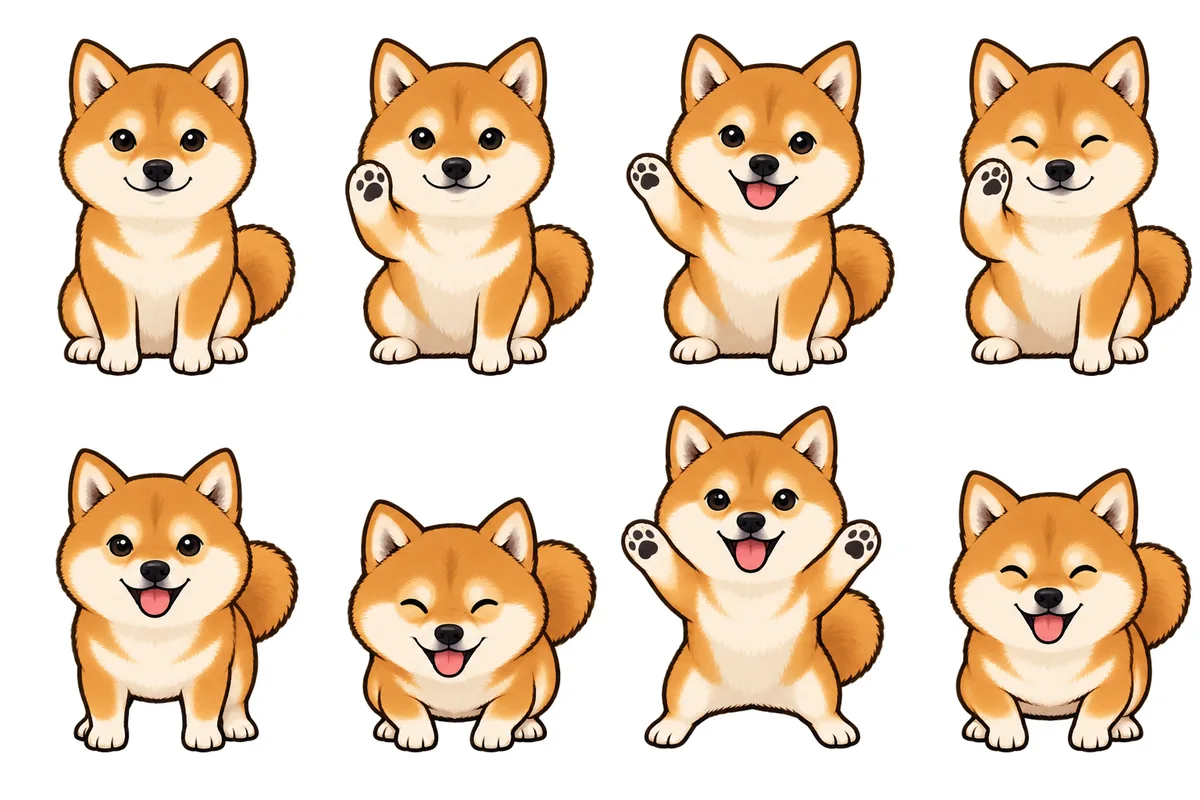
Tips for making stickers from a photo:
- Choose a bright photo with only your pet in it: the clearer the face and the markings, the better they come through.
- Add its features to the description: something like “red Shiba, white cheeks, red collar” helps with what a photo alone doesn’t show.
- Redraw the one that doesn’t look right: a sticker may not look exactly like your pet. You can redraw a single sticker.
- Use your own photos: don’t use photos someone else took or images from the internet.
If you want the photo itself to move, LINE’s official LINE Sticker Maker app has made animated stickers from 1 to 20 photos since January 2025, in sets of 8 or 16 (LY Corporation’s announcement, Japanese). It adds motion to the photos with animated frames and decorations. MochiStamp is different: your pet becomes an illustrated character that does the action itself, such as waving or jumping.
Why uploads fail and how to fix them
| Cause | Fix | On MochiStamp |
|---|---|---|
| Larger than 320×270 px, or both sides under 270 px | Fit the whole image within 320×270 with the width or height at least 270 px | Done for you |
| Playback time with a fraction (1.5 s, 3.96 s…) | Make one loop exactly 1, 2, 3 or 4 seconds. Give every frame a delay that divides evenly, such as 50 or 100 ms | Each loop is exactly 1 or 2 seconds |
| Seconds × loops over 4, or the loop set to “infinite” | Set 1 to 4 loops, 4 seconds in all. APNG tools often loop forever by default | 1 to 4 loops, 4 seconds at most |
| Fewer than 5 frames or more than 20 | Repeated images may be merged into one frame and leave too few. All frames the same image is an error | 20 frames, and no two neighbouring frames are the same picture |
| Over 1 MB | Use fewer colors (a color-reduction tool) or make the moving part smaller | Fewer colors when a sticker would go over 900 KB |
| A still PNG in the set, or a main image that doesn’t move | Sticker images and the main image (240×240) are APNG; the tab image (96×74) is a still PNG | All three are made for you |
| Not 8, 16 or 24 stickers | Animated sets are 8, 16 or 24 | You choose 8, 16 or 24 |
| The background isn’t transparent | Make it transparent, and check white parts of a white character weren’t cut out too | The background is made transparent |
Before you upload, drop the ZIP into the ZIP checker. It checks a ZIP of APNGs as animated stickers, rule by rule: size, frames, loops, playback time, 1 MB and the number of stickers.
What MochiStamp can’t do yet (October 2026)
MochiStamp can’t do these yet:
- Text on animated stickers. Stickers with text can be made as still stickers
- Moving the photo itself (live-action animated stickers)
- Sets of 32 or 40 (LINE’s animated sets go up to 24)
- Pop-up stickers, effect stickers and animated emoji
- Animated Telegram stickers (WEBM). Animated WhatsApp stickers can be downloaded
- Squeezing stickers under 300 KB
LINE decides the review result, so we can’t guarantee your stickers will be approved.
Tips
- Make the first frame your best pose: the store shows the first frame as a still image. MochiStamp puts the pose that shows the sticker’s feeling best in the first frame.
- Keep the motion small and clear: stickers are small in a chat, so a wave, a blink or a little hop reads better, and fewer changing parts make a lighter file.
- End where you began: the animation repeats, so a last frame that returns to the first pose hides the seam.
FAQ
Do I need to know how to draw or edit video?
No. Describe your character in one line, check the action in each box (they come filled in) and tap create. MochiStamp takes care of LINE's rules: frames, seconds, size and 1 MB.
Can I make animated LINE stickers from a photo of my pet?
Yes. Choose “Animated” and pick one photo of your pet as the reference image. Your pet’s colors and markings become an illustrated character in the style you choose, and that character moves. The photo itself does not move: these are not live-action stickers.
Is the file size limit for animated stickers 300 KB?
LINE’s current guidelines say 1 MB or less per sticker (checked on October 30, 2026). 300 KB was the older rule for animated stickers and is today’s limit for animated emoji. MochiStamp keeps each sticker within 1 MB.
Can animated stickers have text on them?
Not on MochiStamp yet. Stickers with text can be made as still stickers.
How many can I make, and what does it cost?
Sets of 8, 16 or 24. An animated sticker costs 2 credits, and the free credits you get when you sign in with Google make one set of 8.
Can I submit the ZIP as it is?
The images meet the rules: APNG, 320×270, frames, seconds, 1 MB, and the main and tab images. What the pictures show is checked in LINE’s review, so we can’t guarantee approval.
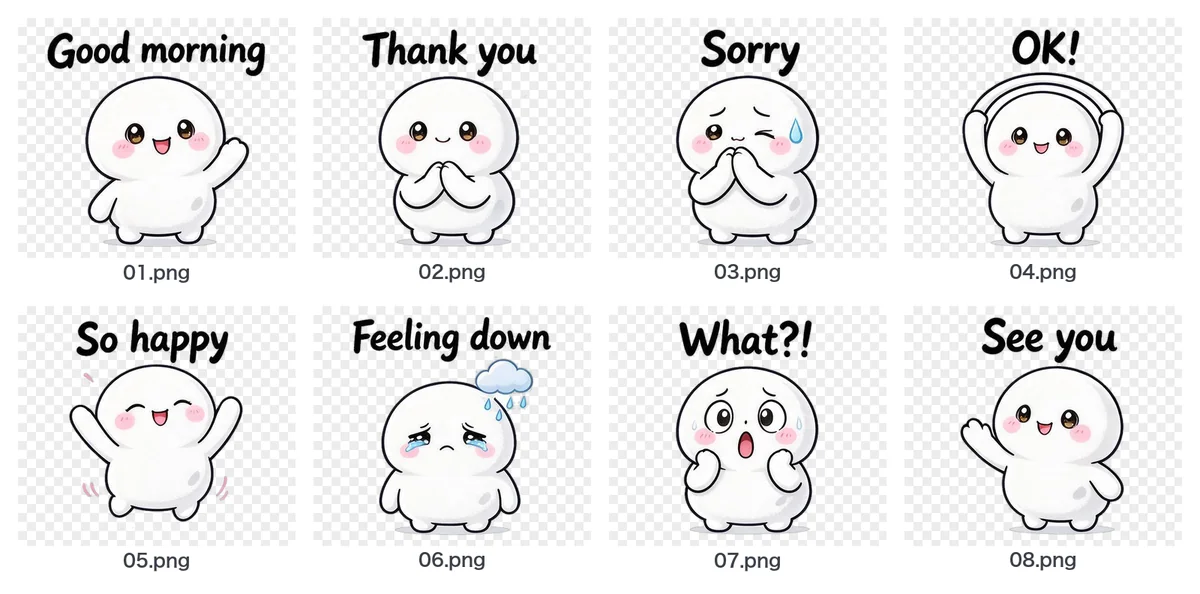 Turn images from ChatGPT or Gemini into LINE stickers
 Why removing the background leaves white edges or holes, and how to fix it
 LINE sticker size and format guide
 How to add your own stickers to WhatsApp
 How to make your own Telegram sticker set