
LINE sticker size and format guide
The image rules for submitting still stickers to LINE Creators Market, as the creation guidelines state them. Sizes and margins are hard to picture from numbers alone, so they are drawn here with a sticker made with MochiStamp. Check LINE's guideline page for the latest version.
All the rules
| Item | Rule |
|---|---|
| Sticker images | Up to 370 wide × 320 high px. Sets of 8, 16, 24, 32 or 40 |
| Main image | 240 × 240 px, one. Shown in the store |
| Chat tab image | 96 × 74 px, one. Shown in the sticker list of a chat |
| Format | PNG for every image |
| File size | 1 MB or less each (main and tab images too) |
| Background | Transparent |
| Margin | About 10 px between the edge of the trimmed image and the illustration |
| Width and height | Even numbers (images are scaled down automatically) |
| Resolution and colour | 72 dpi or more, RGB |
| Uploading as a ZIP | The ZIP file is 60 MB or less |
Source: LINE Creators Market creation guidelines (stickers)
Sticker images: 370×320 px is the largest size
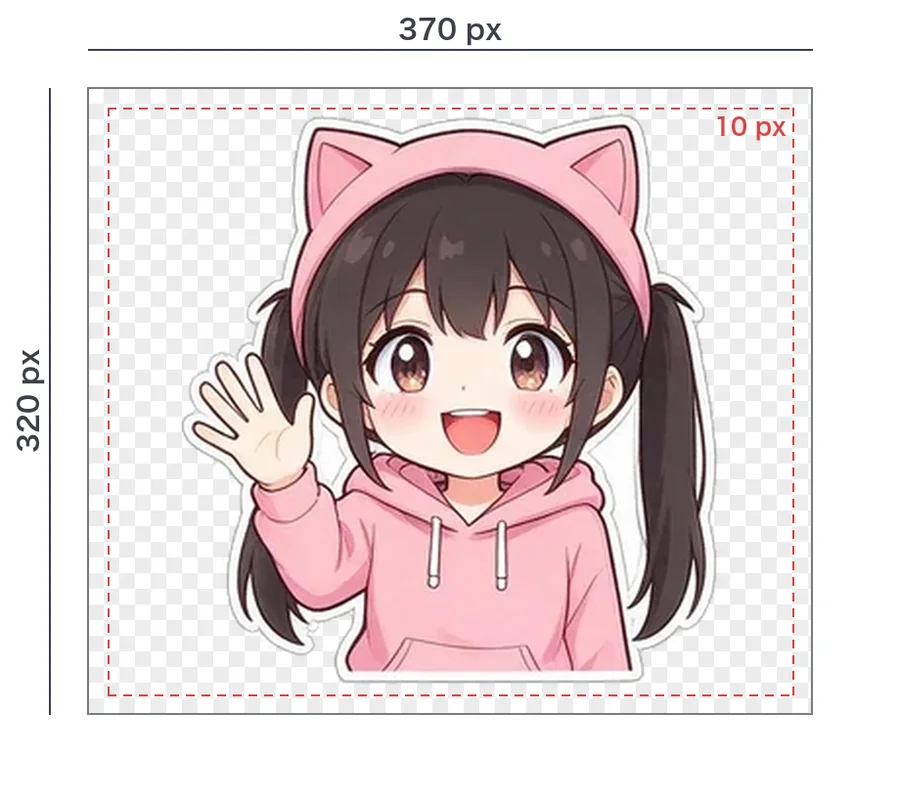
370×320 px is the maximum. A smaller sticker also looks smaller in a chat, so stickers usually fill 370×320 and keep a margin of about 10 px all around.
- The guidelines ask for a margin of around 10 px between the trimmed image and its content. Keep text and fingertips off the edge.
- Use even numbers for width and height. 370 and 320 are both even.
- Mind the balance: a margin that is much wider on one side makes the sticker look off-centre in a chat.
Main image and chat tab image
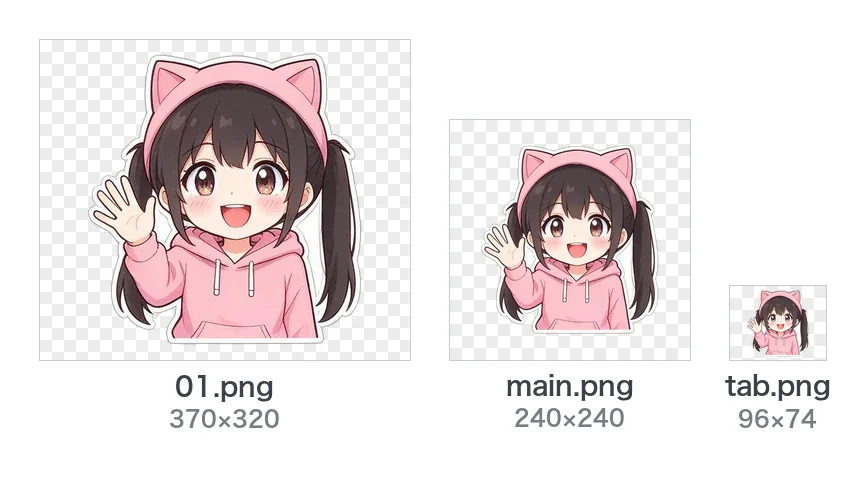
- Main image (240×240 px): the one picture that stands for the set in the store. Choose the sticker that shows the character best.
- Chat tab image (96×74 px): the small picture on the tab where people pick stickers in a chat. It is so small that fine text cannot be read; a sticker that shows the character's face works well.
Neither needs drawing on its own: choose a sticker and scale it down. MochiStamp's image converter and Create with AI make main.png and tab.png from the sticker you choose.
Count: 8, 16, 24, 32 or 40
A set has 8, 16, 24, 32 or 40 stickers. You choose the number on the sticker's edit page in LINE Creators Market, and it cannot be changed after you request a review.
File names and the ZIP
All the images can be uploaded at once in a ZIP file of 60 MB or less.
When you upload a ZIP, only images with the right file names are taken (LINE Creators manual, in Japanese). MochiStamp's tools number the stickers from 01.png and name the main image main.png and the tab image tab.png. Without those names, upload the images one at a time.
Check everything before you submit
The ZIP checker goes through the count, PNG, 370×320, 1 MB, main image, tab image, file names and the 60 MB ZIP limit, one rule at a time. Margins, even sizes, RGB and a transparent background are shown as notes.
The length of the title and description can be checked with the title and description checker.
Animated stickers have their own rules
Animated stickers are APNGs of at most 320×270 px in sets of 8, 16 or 24: different from still stickers. See Make animated stickers with AI.
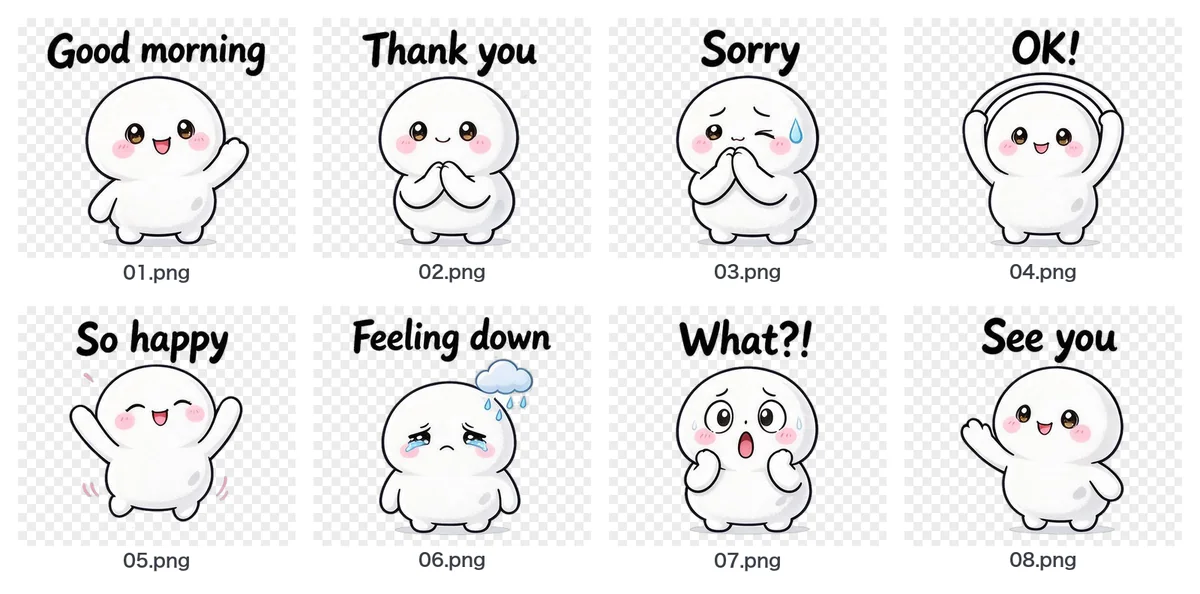 Turn images from ChatGPT or Gemini into LINE stickers
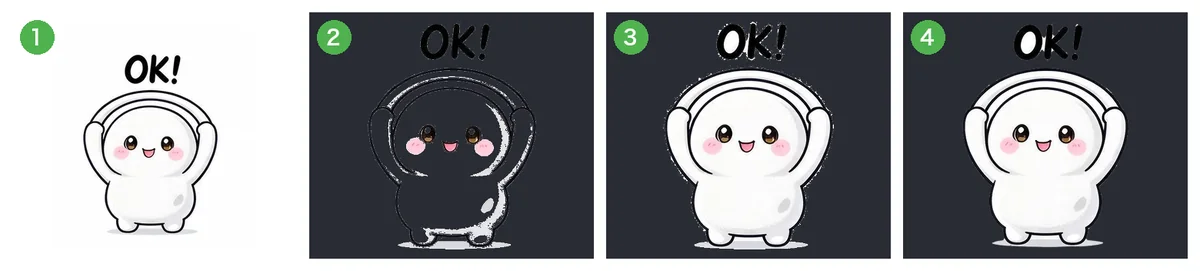 Why removing the background leaves white edges or holes, and how to fix it
 Make animated LINE stickers with AI